JPEG
Compress photographs with adjustable lossy encoding.
 Vicoco
Compress images online for free without uploading them. Add one image or a whole folder, choose quality or a target file size, then download smaller JPEG, PNG, WebP, or AVIF files.
Open one to explore the editor before adding your own files.
Check image quality and file size in your browser before export. Set a maximum size per JPEG, WebP or AVIF image, then apply the same goal to a complete queue.
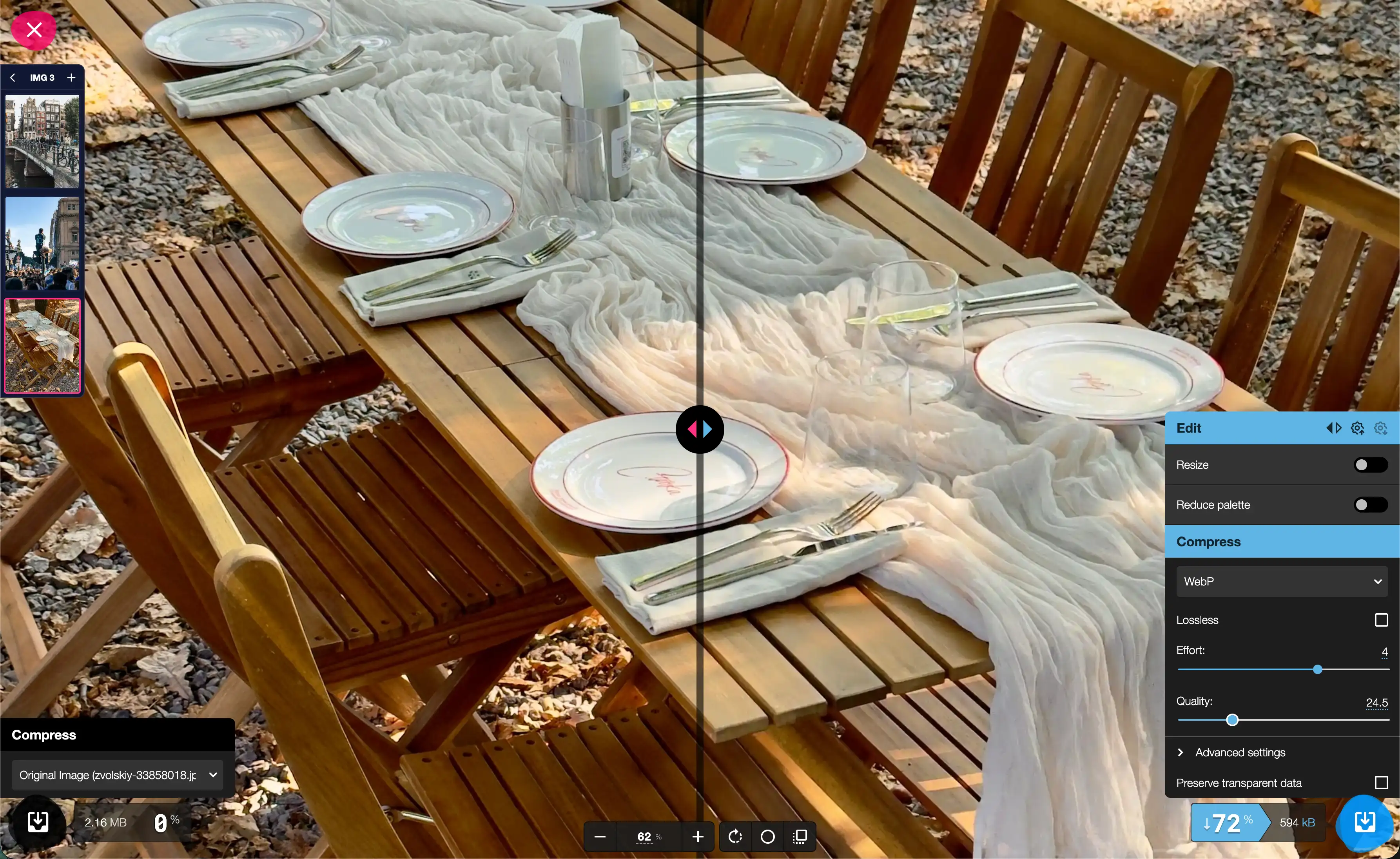
Choose the output format, quality or target file size once, then download one optimized image or process every queued file together as a ZIP.
Compare output formats by image quality, transparency support and file size before downloading the result.
Compress photographs with adjustable lossy encoding.

Optimize lossless graphics while preserving transparency.
Convert images to WebP for smaller web-ready files.

Convert images to AVIF for high-efficiency compression.
Use the before-and-after preview to inspect detail, test codec, quality or target-size settings, and check the compressed file size before export.
Compress and convert images locally without uploading files to a server. Your images stay on your device from start to finish.
Compression runs inside your browser.
Your source images never leave your device.
Start compressing images without signing in.
Add an image, choose an output format and either set quality manually or enter a target file size, then preview and download the result.
Yes. Add multiple images or a folder, tune one result, then apply those settings to the queue and download a ZIP.
You can add common formats including JPEG, PNG, WebP, AVIF and SVG, then choose a supported output codec for the batch.
No. Image processing runs locally in your browser, so your files stay on your device.
You control the quality level and can compare the compressed result with the original before downloading it.
Yes. Set the target width and height, preview the result, then apply the resize settings to one image or the full queue.
Yes. For JPEG, WebP and AVIF output, enter a maximum size per image. Vicoco finds the highest quality result under that limit and can resize the image when permitted.